How to set up a SMB share for file uploads
SMB is the Microsoft file-sharing protocol which is a convenient option for Windows systems. A SMB share can be a useful upload destination for receiving files from Velociraptor clients or collection containers from offline collectors in scenarios where you want the files to be sent to a central storage location on the local network rather than to the Velociraptor server or to a cloud storage service.
This is made possible by the upload_smb VQL function.
This article explains how to set up a SMB share with appropriate security for file uploads.
Setup steps
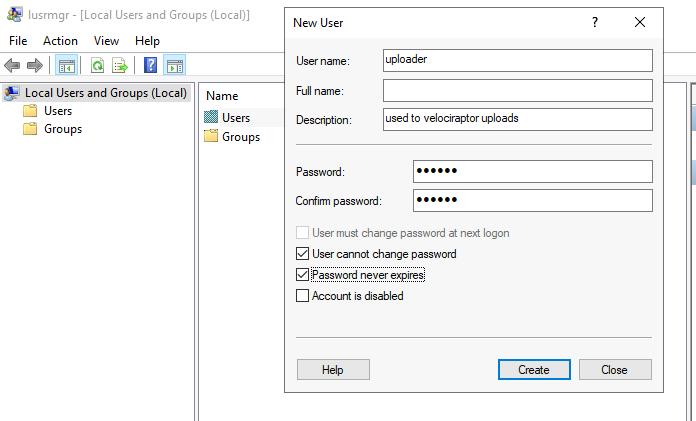
- Create a new local uploader user on one of the windows systems accessible to the host the collection is running on.
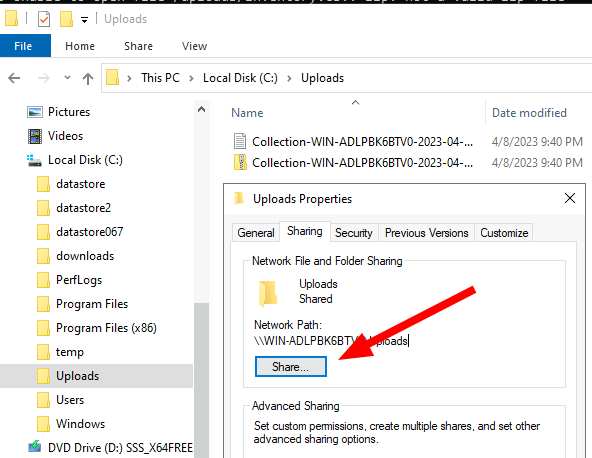
- Create a directory to receive the files.
- Share the directory out to the local uploader user.
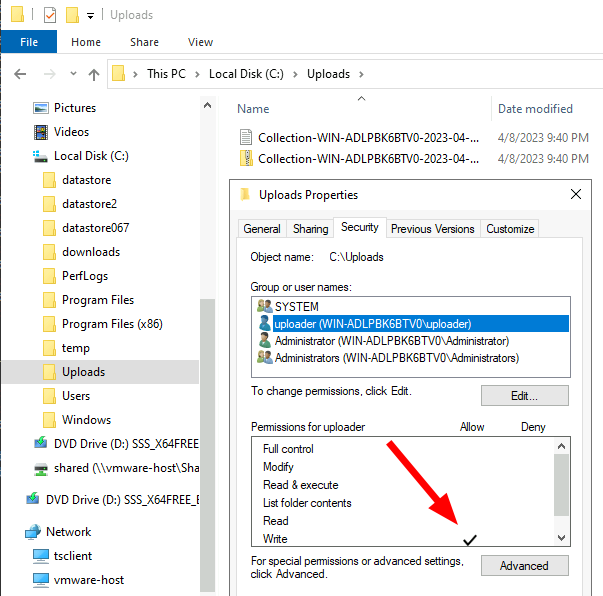
- Adjust directory ACLs to only permit the user to write files without being able to list the directory or read the files. This is required because the uploader user credentials must be embedded in the offline collector so we do not want these misused to alter any of the other uploads.
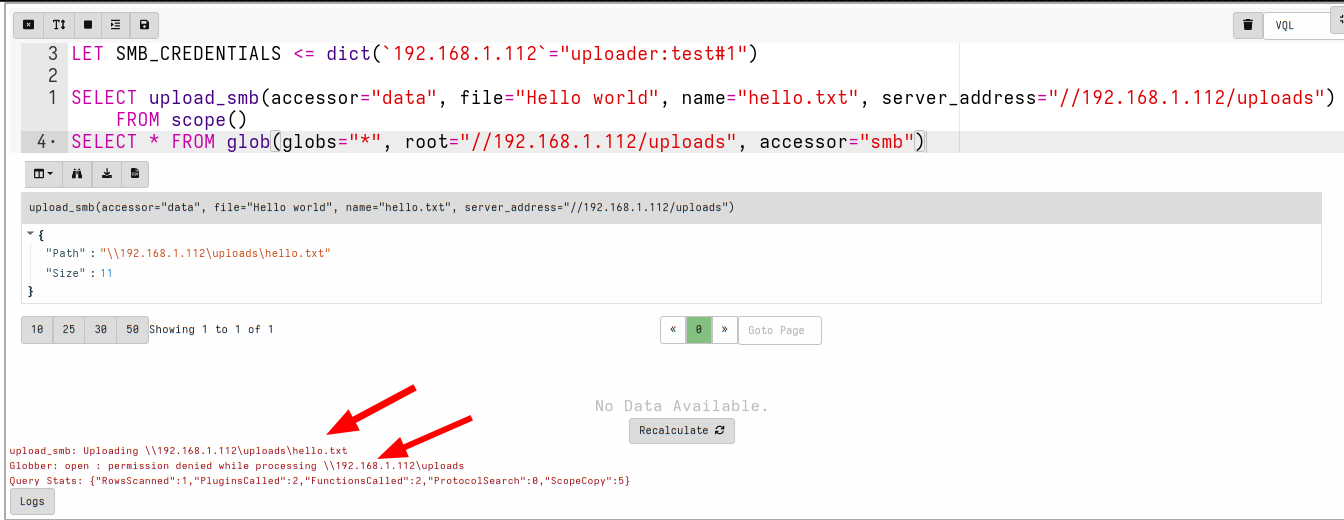
It is best to test the SMB configuration works as desired using the simple VQL query in a notebook.
LET SMB_CREDENTIALS <= dict(`192.168.1.112`="uploader:test!password")

SELECT upload_smb(accessor="data",
    file="Hello world",
    name="hello.txt",
    server_address="//192.168.1.112/uploads")
FROM scope()

SELECT *
FROM glob(globs="*",
    root="//192.168.1.112/uploads",
    accessor="smb")
The above query:
- Sets the global credential cache for use of SMB
- Uploads a test file called “hello.txt” to the uploader directory
- Attempts to list the uploads directory using the
globplugin.
The upload file should succeed but the uploader user should not be
able to list the directory.
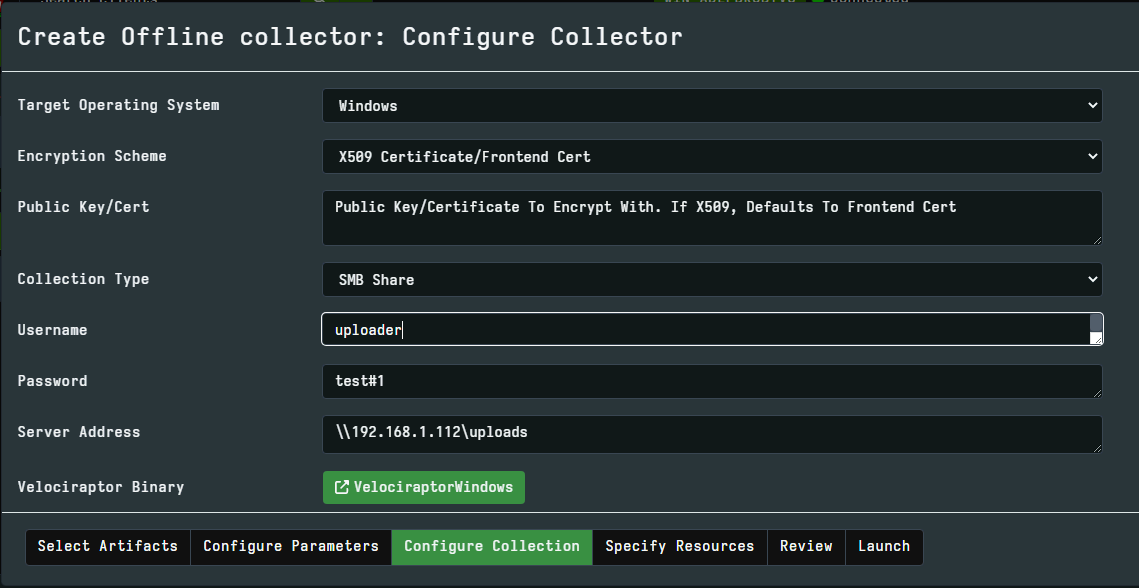
We are now ready to specify the details to the offline collection GUI. NOTE: Usually it is better to use the IP of the server rather than the name for improved reliability.