The Velociraptor CLI
Velociraptor offers many features via its command line interface (CLI).
In addition to functioning as a client or server, the binary also provides several utility functions that are accessible on the command line, which in many cases are CLI equivalents of functions that are available in VQL.
You can also do investigation of the local system using the CLI alone, as described in the deployment options, artifact collection, and query command page.
Filesystem permissions on the command line
When installed as a service, Velociraptor’s datastore directory is owned by the
service account named velociraptor and accessible to the velociraptor user
group. New users often aren’t aware of this fact and run CLI commands on the
server which accidentally create files in the datastore using their own user
account or the root account. These files are subsequently inaccessible to the
Velociraptor service which may then fail to start.
Some CLI commands work directly with files in the datastore, which can result in
them being inadvertently owned by your user account. You can avoid creating
permissions problems by switching to the velociraptor user. On most Linux
systems this can be done with the command sudo -u velociraptor bash.
General command syntax
Velociraptor’s CLI commands generally consist of a command and optionally a
subcommand, using a subject-verb syntax. For example config show.
There are global flags that can be used with any command, and also flags that are specific to each command and subcommand.
How to get help for commands
You can use the -h flag or the help command with all Velociraptor commands
to see available options and usage details.
velociraptor <command> -horvelociraptor help <command>will provide help for a command or command group.
For subcommands:
velociraptor <command> <subcommand> -horvelociraptor help <command> <subcommand>will provide help for a specific subcommand.
You can print a short listing of help for all commands by using the -h
flag:
velociraptor -h
You can print a more verbose listing of help for all commands by using the
--help-long flag:
velociraptor --help-long
Velociraptor supports many command line flags and environment variables -
too many to show in the standard help listing. To see all of these, set the
environment variable DEBUG=1 before running the help command:
DEBUG=1 velociraptor -h
How to get VQL help
For those situations where you’re working in a bunker without internet access.
[ vql list ]
Prints the reference documentation for all VQL plugins, functions, and accessors in Markdown format.
Pipe the output through Glow to page it and pretty-print it.
For example:
velociraptor vql list | glow -p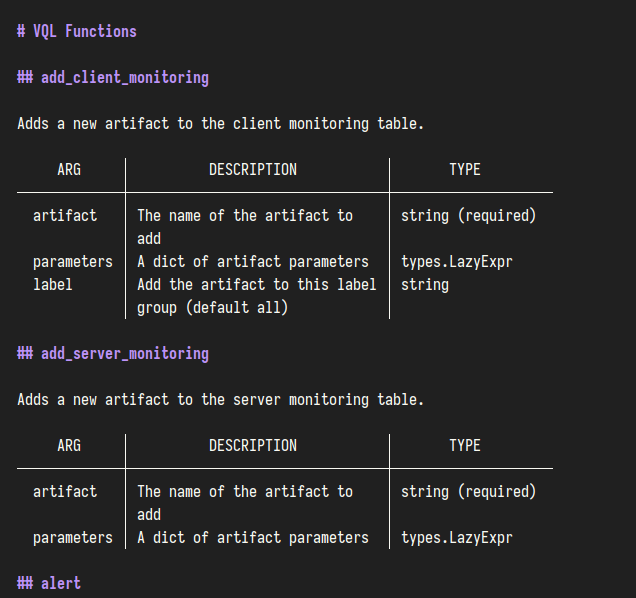
[ vql export ]
Prints the reference documentation for all VQL plugins, functions, and accessors in YAML format.
Pipe the output through yq to filter, transform, or pretty-print it.
For example:
velociraptor vql export | yq -P '.[] | select(.type == "Function") | select(.name == "stat")'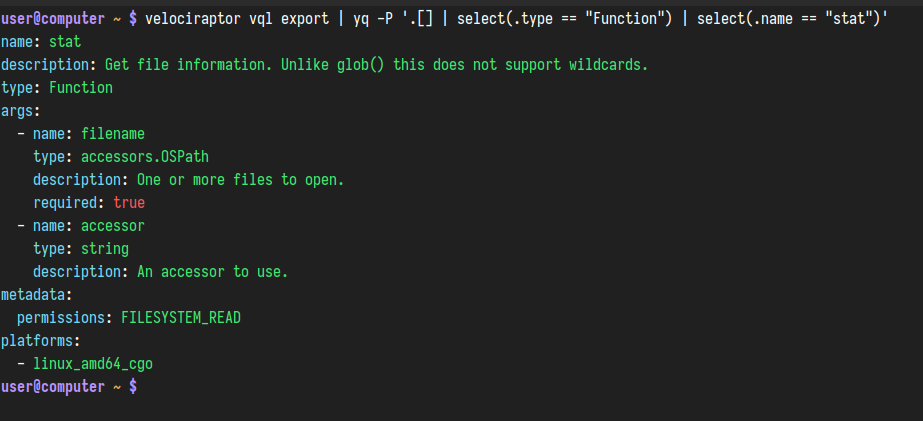
Running artifacts on the command line
Run mode (-r or --run flag) lets you collect any
Velociraptor artifact directly from the terminal as if it were a
standalone CLI command. It supports local collections on the
current machine as well as remote collections on the server or on
clients via the Velociraptor API.
Run mode provides a simpler syntax than the equivalent
artifacts collect command — artifact parameters are passed as
direct flags instead of --args Key=Value pairs.
See the Run mode page for syntax, examples, and remote collection details.
Autoexec mode
Autoexec mode lets you embed a default command line and custom artifacts
directly into the Velociraptor binary using the
config repack command.
Offline collectors use this
mechanism. A -- pseudo-flag lets you append extra flags to the embedded
command without bypassing autoexec.
See the Autoexec mode page for syntax, examples, environment variable expansion, embedded artifacts, and the Generic Collector.