Client Shell Commands
Velociraptor collects data from endpoints using artifacts which are logical containers for curated VQL queries. In fact all VQL queries that run on clients must be delivered to the client in the form of artifacts.
The benefit of using artifacts is that they are generally better designed, tested, and more repeatable than just typing arbitrary Powershell or Bash commands in the GUI. Remember, a single typo in a shell command can ruin your day!
However, sometimes you might want to run ad hoc commands on a single
endpoint during a dynamic incident response operation. The
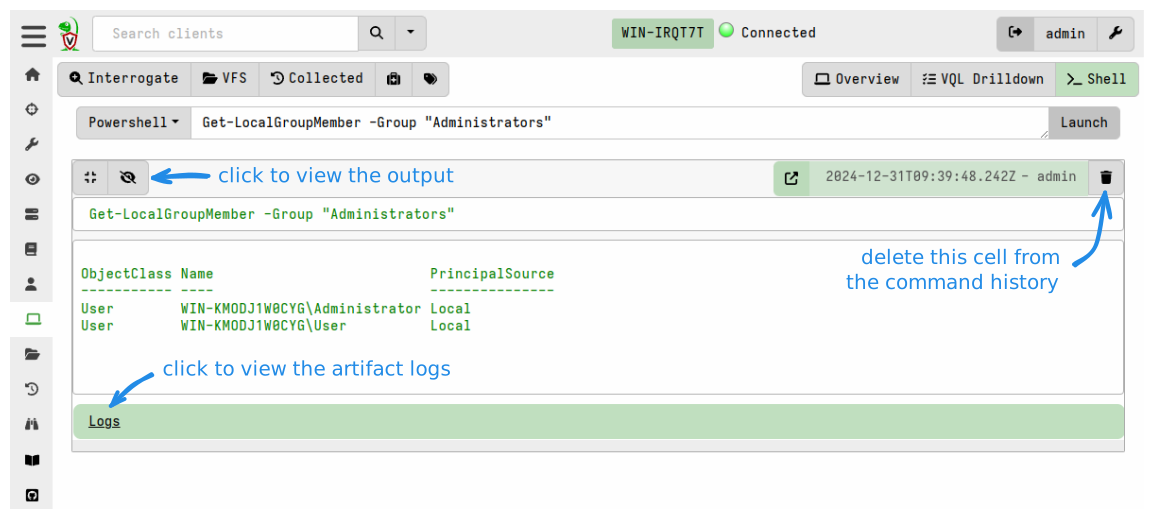
Velociraptor GUI provides a facility for doing this on the Shell
page for a selected client. This allows running arbitrary shell
commands on the endpoint using Powershell/Cmd/Bash or adhoc
VQL.
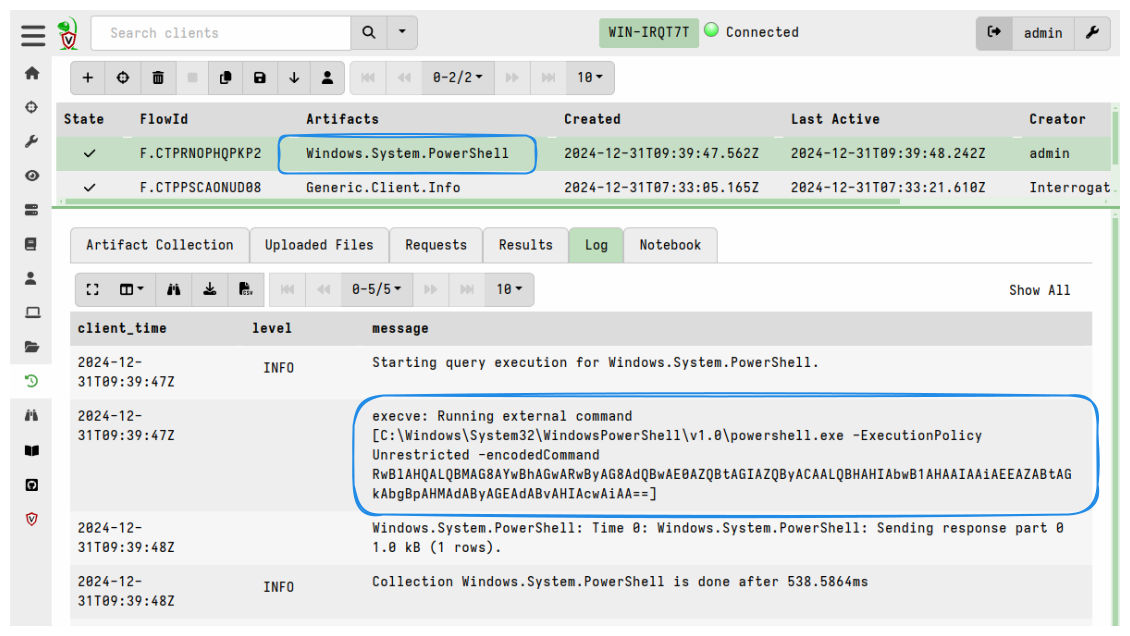
As stated above, all queries are delivered to clients in the form of artifacts. In the same way that the VFS viewer actions are “translated” and then delivered to the client via artifacts, which the client then runs, the Shell commands are also delivered via artifacts in the background.
It’s not really a remote shell!
It’s important to understand that the GUI tries to present the experience in a way that resembles a remote shell. But what’s really happening is:
- the shell command is being passed as an artifact parameter to a built-in artifact.
- the client then retrieves and runs the artifact.
- the artifact uses the
execveplugin to launch the relevant shell with the specified command. - the client then returns the output of the command as collection results.
There is NO remote access capability built into the client.
Velociraptor, by design, does not provide any direct access to clients. The clients only retrieve instructions from the server, and these instructions must be packaged in the form of artifacts. Scheduling an artifact collection against any client is an auditable event on the server.
So while in the GUI it may superficially look like a remote shell session (for reasons of convenience and familiarity) it absolutely is not one. This is also why the GUI’s Shell feature does not provide interactive shell sessions - it just allows you to collect the result of a shell command.
Disabling shell access
Only Velociraptor users with the administrator role are allowed to
run arbitrary executables, including shells, on remote endpoints.
Users with other roles have to be explicitly granted the EXECVE
permission to allow them to do so too.
Nevertheless, in some environments it may be unacceptable to allow
running of arbitrary shells or other executables by anyone. You can
prevent clients from running executables (including shells and
therefore shell commands) via the config setting
Client.prevent_execve. However this significantly limits your DFIR
efficacy because many artifacts actually depend on being able to
launch external programs.
After running Shell commands you can navigate to the client’s Collections page and see the artifacts that were used to deliver the commands. But the Shell page in the GUI hides this background activity for our convenience and creates the impression that the commands are running interactively in realtime on the client.