How to send e-mails from Velociraptor
Velociraptor can send e-mails for a range of purposes: notifying you when a flow completes, forwarding alerts from detection artifacts, or reporting operational problems. See How to set up e-mail notifications for flow completions and Using alerts in Velociraptor for artifact-level guides covering those use cases.
This article covers the mechanics: the
mail() function, SMTP secrets,
throttling behavior, local testing with Mailpit, and the
Generic.Utils.SendEmail
artifact that handles MIME encoding.
The mail() function
The mail() function is the built-in
VQL primitive for sending e-mail. It connects to an SMTP server and
sends a single message:
SELECT mail(
    secret="my_smtp_secret",
    to="recipient@example.com",
    subject="Hello from Velociraptor",
    body="Important message"
)
FROM scope()
SMTP configuration (server, port, username, password) can be supplied
inline via server, server_port, auth_username, and
auth_password, but using a
secret is strongly
recommended.
Line length limit
Raw SMTP imposes a hard limit of 998 characters per line (RFC 2822). If the body contains longer lines, some servers will reject or corrupt the message. This is easy to hit with log output or structured text. Base64-encoding the body and declaring the correct transfer encoding header avoids this:
LET Body = "A long line that might exceed the limit: " + body_text

-- NOTE: Example only; do not do this — use Generic.Utils.SendEmail instead:
SELECT mail(
    secret="my_smtp_secret",
    to=("recipient@example.com",),
    subject="Hello from Velociraptor",
    headers=dict(`Content-Transfer-Encoding`="base64",
                 `Content-Type`='text/plain; charset="utf-8"'),
    body=regex_replace(re="(.{76})", replace="$1\r\n",
                       source=base64encode(string=Body))
)
FROM scope()
Tip
This encoding is handled automatically by the
Generic.Utils.SendEmail
artifact described below.
Sending HTML
To send HTML instead of plain text, pass a Content-Type: text/html header:
-- NOTE: Example only; prefer Generic.Utils.SendEmail instead:
SELECT mail(
    secret="my_smtp_secret",
    to=("recipient@example.com",),
    subject="Hello from Velociraptor",
    headers=dict(`Content-Type`="text/html"),
    body="<h1>Hello</h1><p>A flow has completed.</p>"
)
FROM scope()
For multi-part messages (HTML + plain-text fallback) or attachments,
use
Generic.Utils.SendEmail
instead.
SMTP secret
The recommended way to supply SMTP credentials is via a server secret of type SMTP Creds. This keeps credentials out of artifact parameters and notebook cells.
To add an SMTP secret:
-
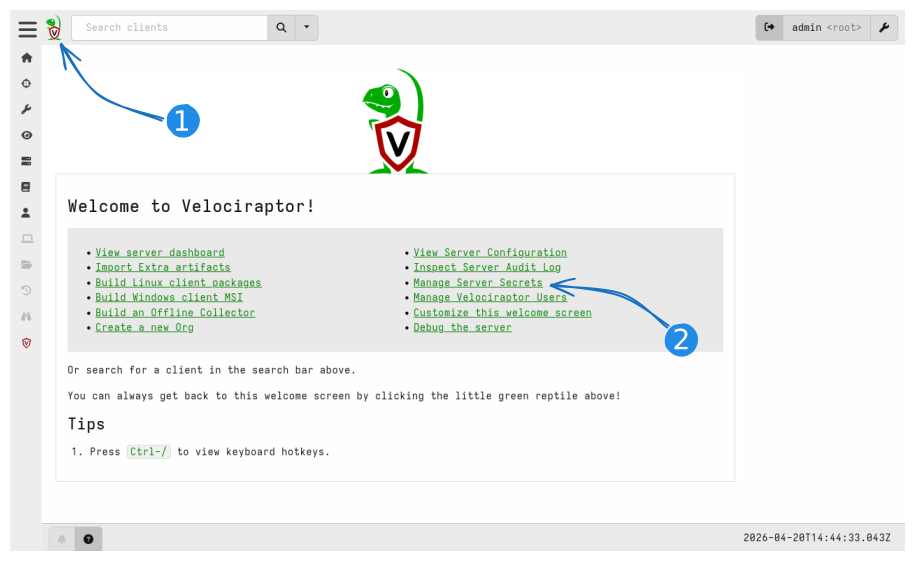
Open the Velociraptor GUI, navigate to the welcome page (click the Velociraptor icon), and then Manage Server Secrets.
Enter secret management from the welcome page -
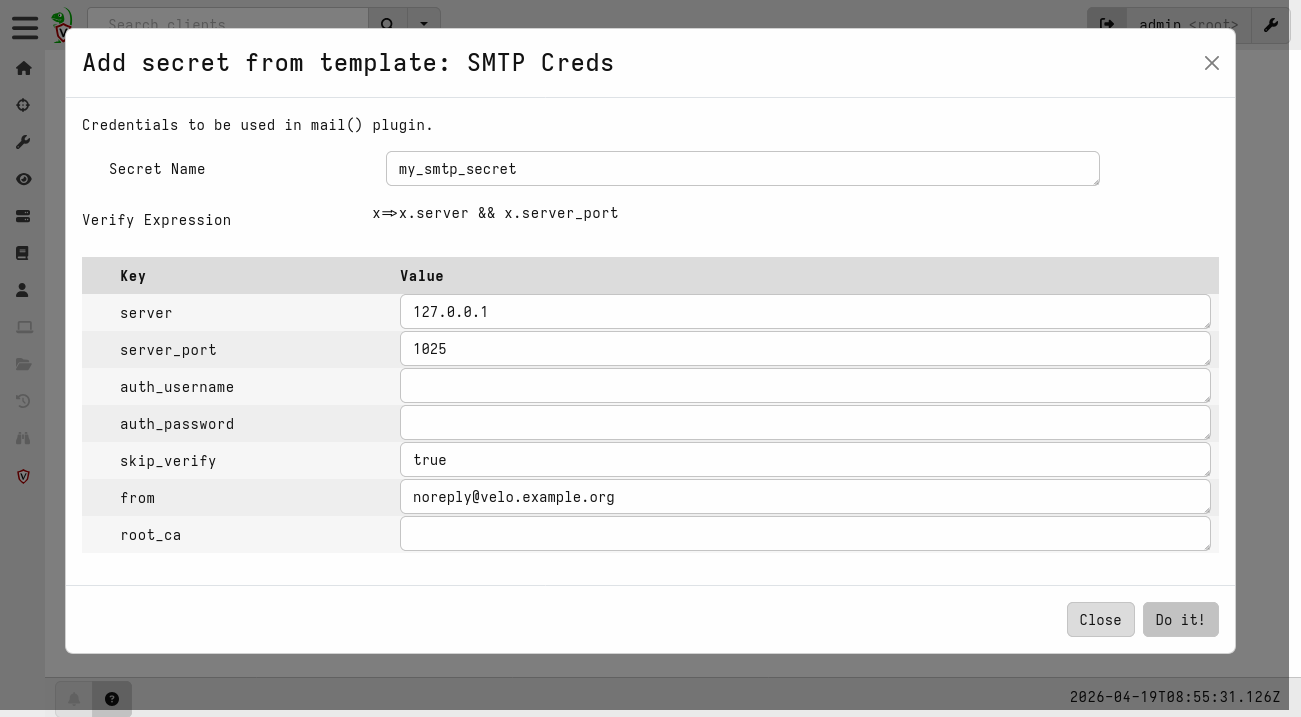
Click Add Secret, choose type SMTP Creds, give it a name (e.g.
my_smtp_secret), and fill in the SMTP server details.Adding an SMTP Creds secret -
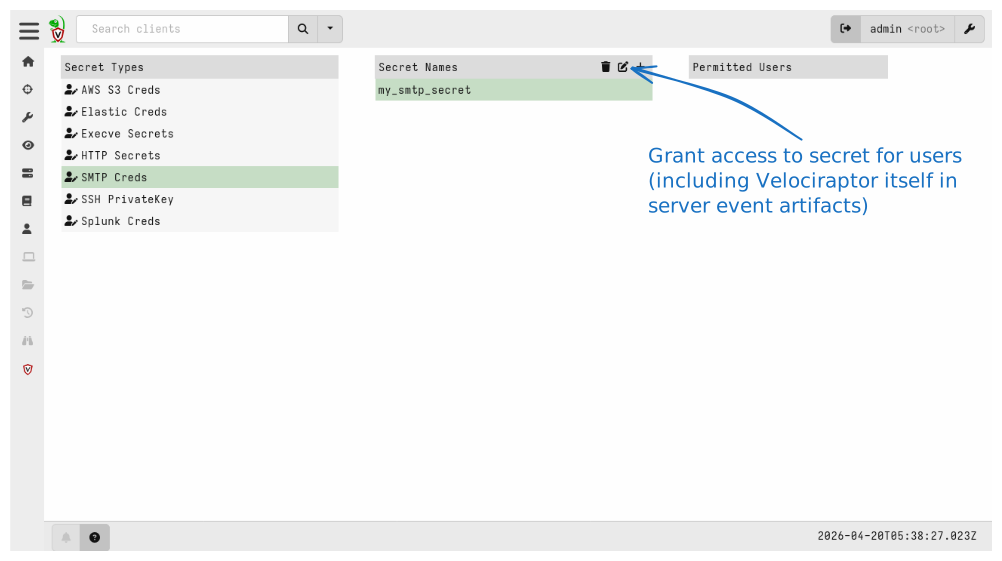
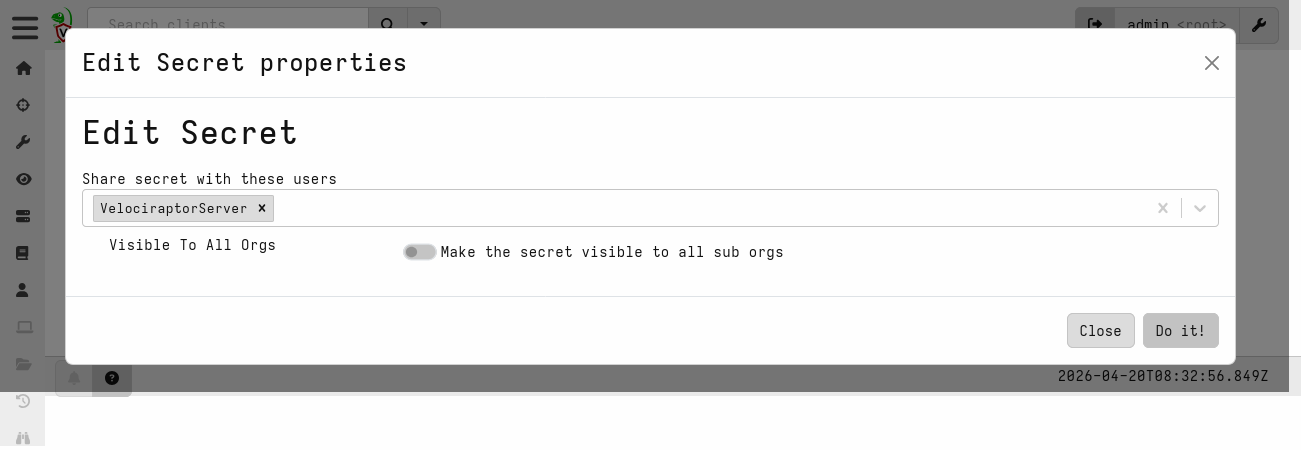
Give access to the secret to VelociraptorServer (Server Event Runner), plus any other users that need it. VelociraptorServer needs access to send e-mails from server event queries.
Modify the secret in order to give access to it VelociraptorServer given access to SMTP secret
In most cases you do not need to set all fields when defining a
secret. Fields you leave empty may be overridden in the functions
using the secret. Generic.Utils.SendEmail expects most fields to be
defined in the secret, but lets you override from (Sender).
Once the secret exists, pass its name to mail() or
Generic.Utils.SendEmail via the secret parameter.
Throttling
Velociraptor rate-limits outgoing e-mail globally across the entire
server. If mail() is called within period seconds of the
previous successful send, the message is silently dropped and an
error is logged. The default period is 60 seconds.
Note
When an e-mail is dropped, mail() logs ERROR:mail: Send too fast, suppressing. (logged at level DEFAULT, not ERROR) and returns an
ErrorStatus field. Check the artifact logs if you suspect messages
are being silently throttled.
When using Generic.Utils.SendEmail, the Period parameter maps to
this same throttling window.
Testing locally with Mailpit
Sending test e-mails against a real SMTP server can have unintended consequences: repeated failures or unusual traffic patterns may lower your sender reputation (affecting spam scoring) or trigger account lockouts. Use a local SMTP testing tool instead, like Mailpit.
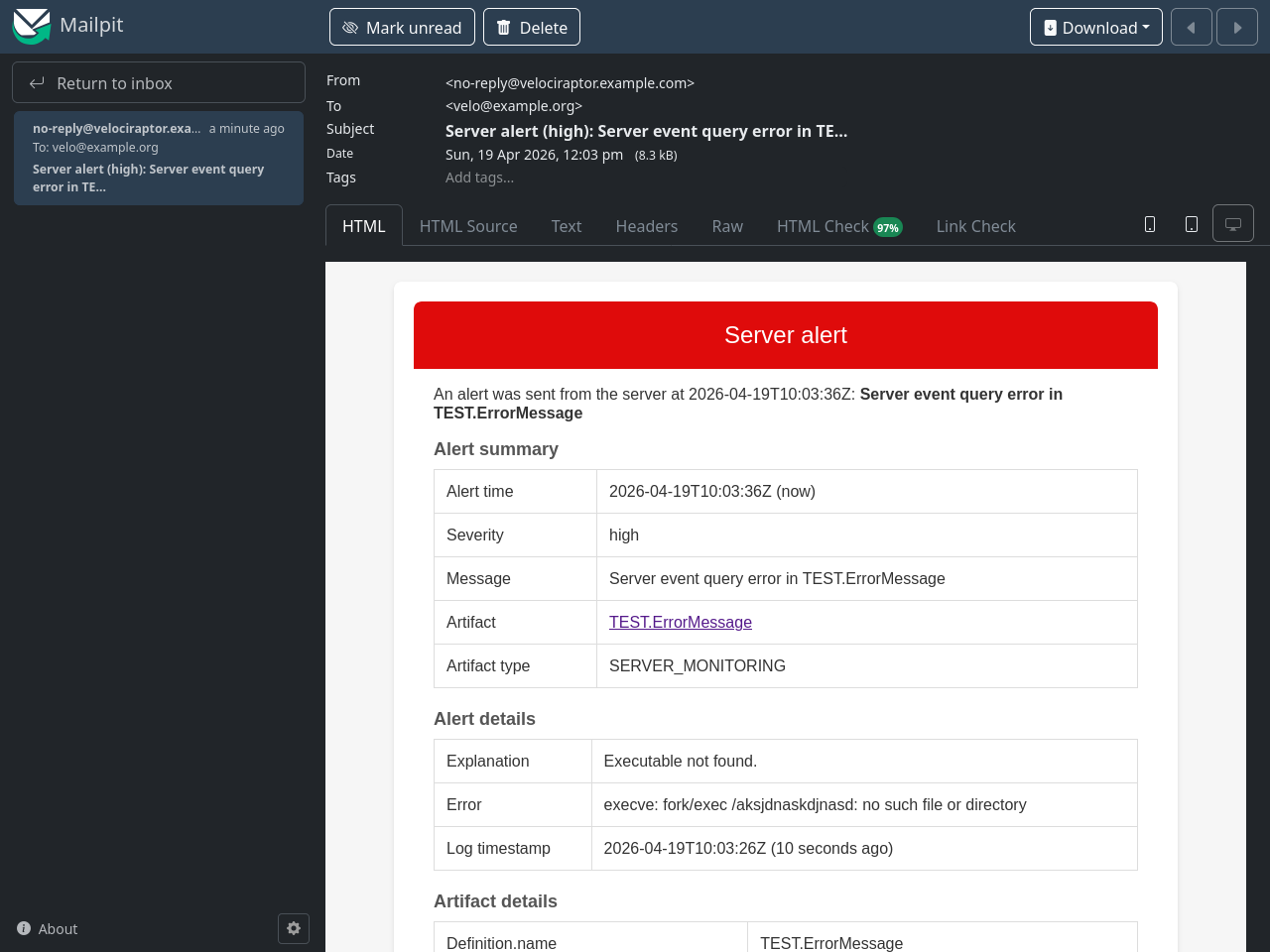
Mailpit accepts SMTP connections and captures messages in a web UI without forwarding them. It also shows the raw message, which is useful for debugging encoding issues.
Start it with Docker:
docker run -d --name mailpit \
    -p 127.0.0.1:8025:8025 -p 127.0.0.1:1025:1025 \
    axllent/mailpit
To persist captured e-mails across restarts, mount a volume:
docker run -d --name mailpit \
    -p 127.0.0.1:8025:8025 -p 127.0.0.1:1025:1025 \
    -v mailpit-data:/data \
    axllent/mailpit
The two listening ports are
- SMTP:
localhost:1025(no authentication) - Web UI: http://localhost:8025
Configure your secret with server=localhost, server_port=1025, and
skip_verify=true. Open http://localhost:8025 to
see incoming messages.
The Generic.Utils.SendEmail artifact
The
Generic.Utils.SendEmail
artifact builds a properly-encoded MIME message and then calls
mail() for you. It handles Base64 line-wrapping,
multipart/alternative (HTML + plain-text fallback), and file
attachments.
Call it from a notebook or another server artifact using
Artifact.Generic.Utils.SendEmail(…).
Plain text
SELECT * FROM Artifact.Generic.Utils.SendEmail(
    Secret="my_smtp_secret",
    Recipients=("recipient@example.com",),
    Subject="Collection finished",
    PlainTextMessage="The collection on MyClient has finished."
)
HTML only
SELECT * FROM Artifact.Generic.Utils.SendEmail(
    Secret="my_smtp_secret",
    Recipients=("recipient@example.com",),
    Subject="Collection finished",
    HTMLMessage="<h1>Done</h1><p>The collection on <b>MyClient</b> has finished.</p>"
)
HTML with plain-text fallback
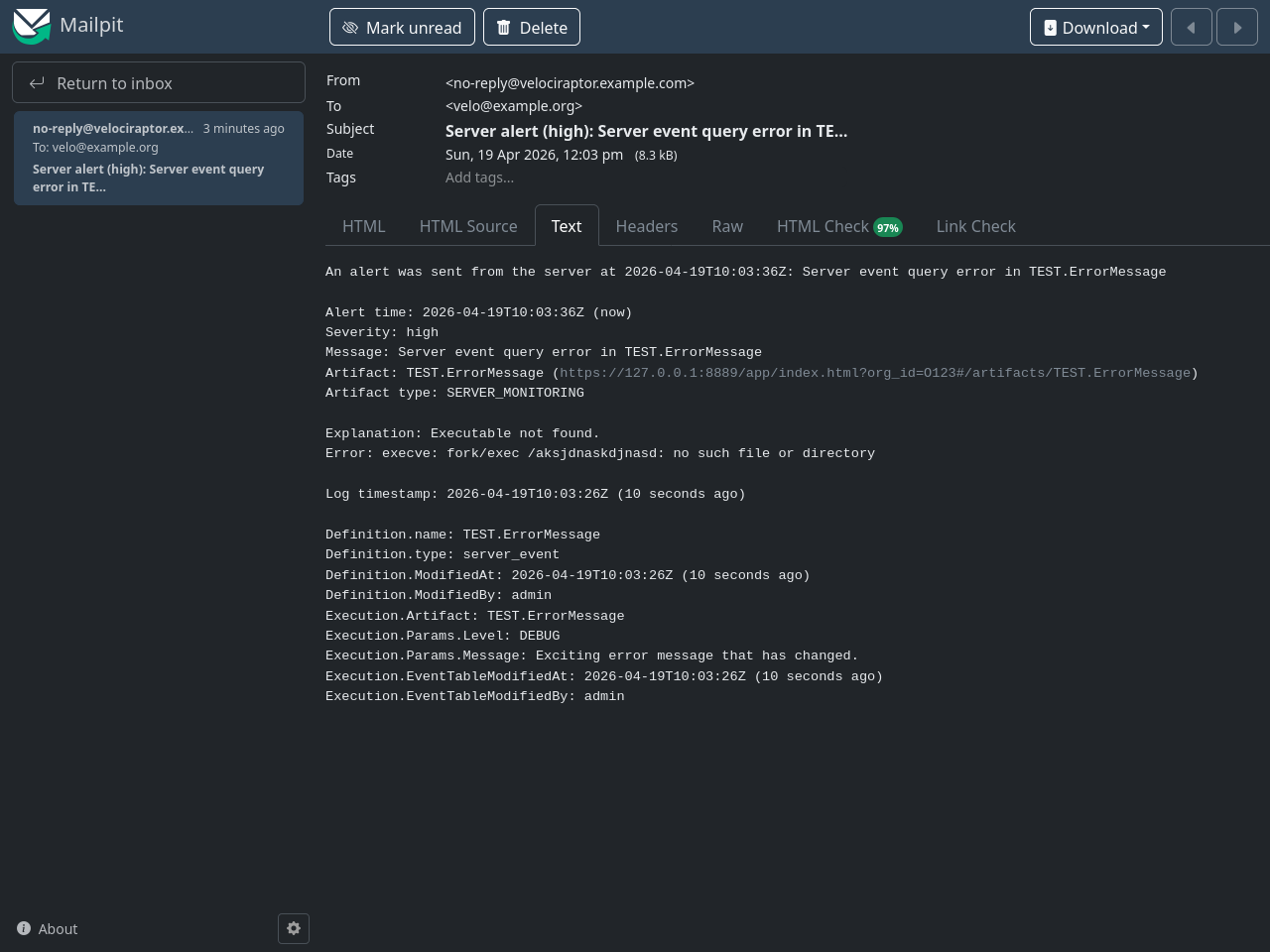
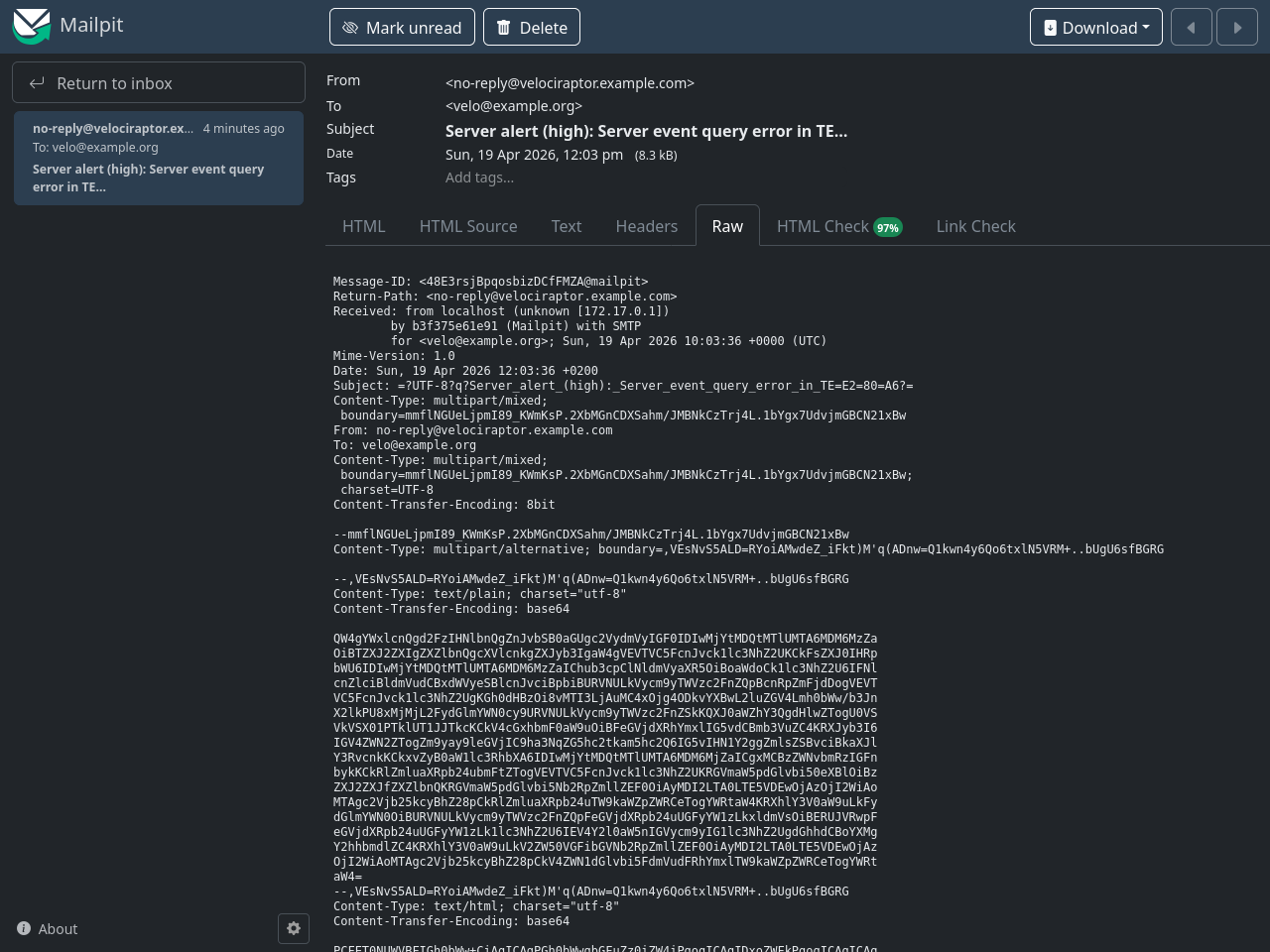
When both HTMLMessage and PlainTextMessage are provided, the
artifact creates a multipart/alternative message. The recipient’s
e-mail client displays the HTML version where supported and falls
back to plain text otherwise:
SELECT * FROM Artifact.Generic.Utils.SendEmail(
    Secret="my_smtp_secret",
    Recipients=("recipient@example.com",),
    Subject="Collection finished",
    PlainTextMessage="The collection on MyClient has finished.",
    HTMLMessage="<h1>Done</h1><p>The collection on <b>MyClient</b> has finished.</p>"
)
The “Raw” tab in Mailpit shows how “multipart/alternative” is used to send both HTML and plain-text.
Attachments
Pass a list of dicts with Path and optionally Filename via
FilesToUpload. Each file is Base64-encoded and attached. Filename
overrides the file name used in the attachment.
The files must exist on the server. Use tempdir() and a write
function such as write_csv() or write_jsonl() to create them on
the fly:
LET TmpDir <= tempdir()

LET _ <= SELECT * FROM write_csv(
    filename=TmpDir + "/report.csv",
    query={ SELECT * FROM source() }
)

SELECT * FROM Artifact.Generic.Utils.SendEmail(
    Secret="my_smtp_secret",
    Recipients=("recipient@example.com",),
    Subject="Report attached",
    PlainTextMessage="Please find the report attached.",
    FilesToUpload=(dict(Path=TmpDir + "/report.csv", Filename="report.csv"),)
)
Note
Some e-mail clients (like Evolution) do not follow the RFC 2045
specification and fail to parse e-mails with boundaries using
certain characters. Set UseSimpleBoundary to “true” in
Generic.Utils.SendEmail
to support such clients.
See also
- Built-in e-mail sending function:
mail() - E-mail sending helper artifact:
Generic.Utils.SendEmail - How to set up e-mail notifications for flow completions
- Using alerts in Velociraptor