Bulk File Acquisition
Being able to quickly and efficiently collect and preserve file-based evidence at scale is an important aspect of most DFIR investigations. You may also want to analyze these collected files with other forensic tools that provide specialized analysis capabilities for certain file formats.
In the previous section we looked at the basic mechanisms that Velociraptor
provides in support of file acquisition. The VQL upload() function allows us
to copy files from endpoints to the server, which is the default method of file
acquisition, but several other functions are available for copying files to
remote network destinations
other than the Velociraptor server.
In this section we explain how file acquisition is scaled up via artifacts, making it easy to target the collection of many files in a single operation.
When collecting many files it is often hard to determine in advance how much data will be collected or how long it will take.
Consider the storage requirements:
- Collecting 100 MB from 10,000 endpoints = 1 TB!
- A typical
$MFTis around 300 to 400 MB, so collecting the$MFTfrom many endpoints will require a huge amount of server disk space!
Velociraptor is, in general, very careful to avoid causing performance and resource impacts on endpoints. However, many clients collecting many files can have significant impacts on your server, or even the network.
See the section Mitigating Network and Server Impacts for advice on ways to mitigate potential impacts to your server and network, especially when performing bulk file collections.
Velociraptor automatically deduplicates files before uploading them. If different artifacts request the same file within the same collection on an endpoint, the file is only transferred and stored once. This deduplication is based on unique file path (including accessor) on the endpoint.
Files collected in separate collections are not deduplicated.
Bulk file collection using generic collection artifacts
Velociraptor ships with several general-purpose filesystem search artifacts that include a file upload option.
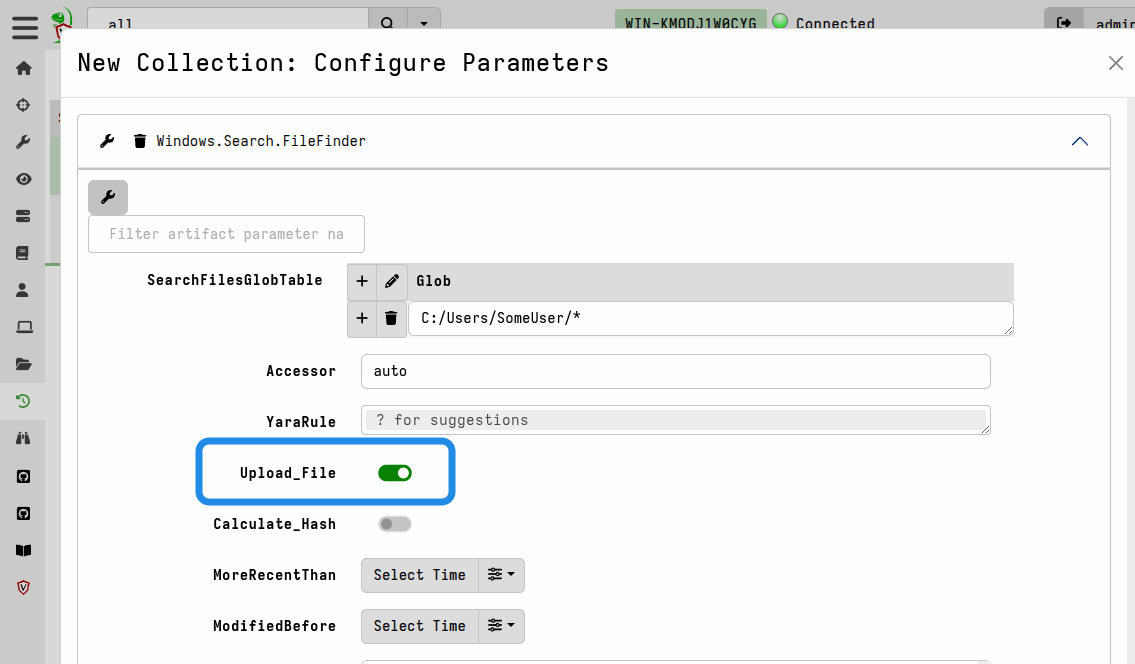
The following are examples of FileFinder artifacts that all have this option:
Windows.Search.FileFinderMacOS.Search.FileFinderLinux.Search.FileFinderWindows.Search.SMBFileFinderWindows.Search.WSLFileFinder
In these artifacts you specify one or more glob patterns or exact paths for the
files that you want to match, and then enable the Upload_File artifact
parameter to tell it to also upload the file to the server.
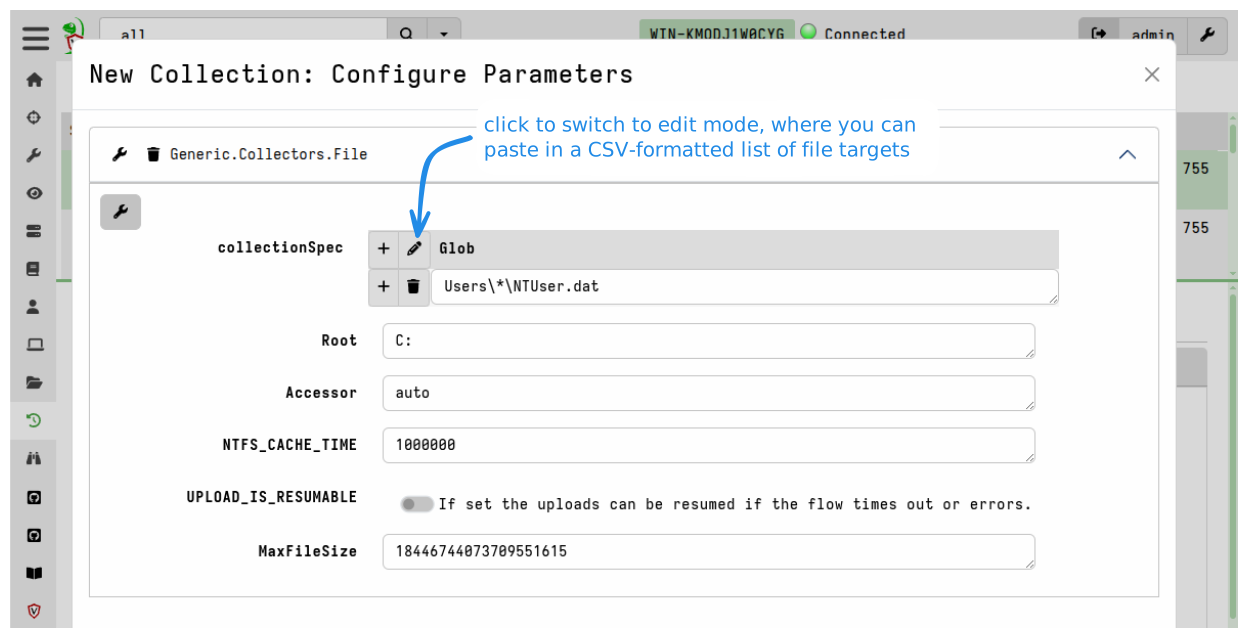
The Generic.Collectors.File artifact is a utility artifact dedicated to the
task of uploading files. Usually it’s not used on its own, and is instead
called from other artifacts
(see wrapper artifacts).
The Windows.Triage.Targets artifact described below is an example of a more
sophisticated artifact that wraps this much simpler utility artifact.
Bulk file collection using Velociraptor Triage Artifacts
You might prefer to curate your own lists of file paths that you routinely make
copies of for preservation purposes. In that case, the Generic.Collectors.File
artifact will be perfectly suitable for acquiring these files.
However, there are public projects within the DFIR community that curate lists of file paths (also called “forensic artifacts” or “targets”) that responders and analysts consider to be likely sources of evidence. One such initiative is the very popular KapeFiles project. This project collects and curates an extensive list of community-contributed file collection targets, broken down into categories. Each Kape “Target” is essentially a glob expression with a name.
To make the collection targets from the KapeFiles project available within Velociraptor, we have a separate project - the Velociraptor Triage Artifacts project - that transforms the latest KapeFiles targets into a Velociraptor artifact. In addition to the targets from the KapeFiles project, we augment the targets with several volatile non-file data sources that are particularly useful to have from a live endpoint.
The Velociraptor Triage Artifacts project also maintains a similar artifact for Linux, based on the open source Unix-like Artifacts Collector (UAC) project, which has the same goals as KapeFiles but for Linux systems.
The Velociraptor Triage Artifacts project currently produces two artifacts:
Windows.Triage.TargetsLinux.Triage.UAC
You can read more about these artifacts on the project’s website.
Since these artifacts are not built into Velociraptor, and are frequently
updated, you need to add them to your Velociraptor’s artifacts repository. You
can do this by manually downloading and importing the artifacts, but we
recommend that you use the built-in Server.Import.Extras server artifact
to simplify
adding and updating externally maintained artifacts.
In the DFIR world, the term “triage” refers to the process of collecting information from an endpoint in order to assess and rank its relevance to an incident, particularly in high-pressure situations where time is critical. Usually this is an initial phase of the investigation, and is done for the purpose of identifying affected systems and scoping an incident. In other words, in Velociraptor terms “triage” is really just hunting done with specific constraints and objectives in mind. Velociraptor can be used to assess an endpoint without copying any files.
However, due to their prior experience with other DFIR tools many forensic practitioners tend to equate the term “triage” with bulk file acquisition itself, rather than the assessment and ranking process. The term is often used loosely to contrast the generally expeditious file acquisition approach with the traditional, much slower process of disk image acquisition.
Users who are new to Velociraptor, especially those who have prior experience with solutions that centralize file processing, often want to repeat the familiar process that centralized solutions advocate, but using Velociraptor. That is, they use Velociraptor clients and/or Offline Collectors to copy files with the intention of analyzing/querying them later. This is not how Velociraptor is intended to work, as we explained in the introduction. Even though it is technically possible and supported, it is an inefficient and cumbersome approach that isn’t aligned with Velociraptor’s philosophy and design goals.
The Velociraptor Way
With Velociraptor, bulk file collection is usually done in parallel with investigating the endpoint itself. We don’t collect files and then investigate - we investigate and conditionally collect files (usually as a preservation action).
So despite the use of “triage” in the name of these artifacts, you should keep
in mind that they are really file preservation artifacts. You can perform triage
on endpoints using Velociraptor artifacts such as Windows.Hayabusa.Rules and
only copy files if they turn out to contain evidence that you want to preserve.
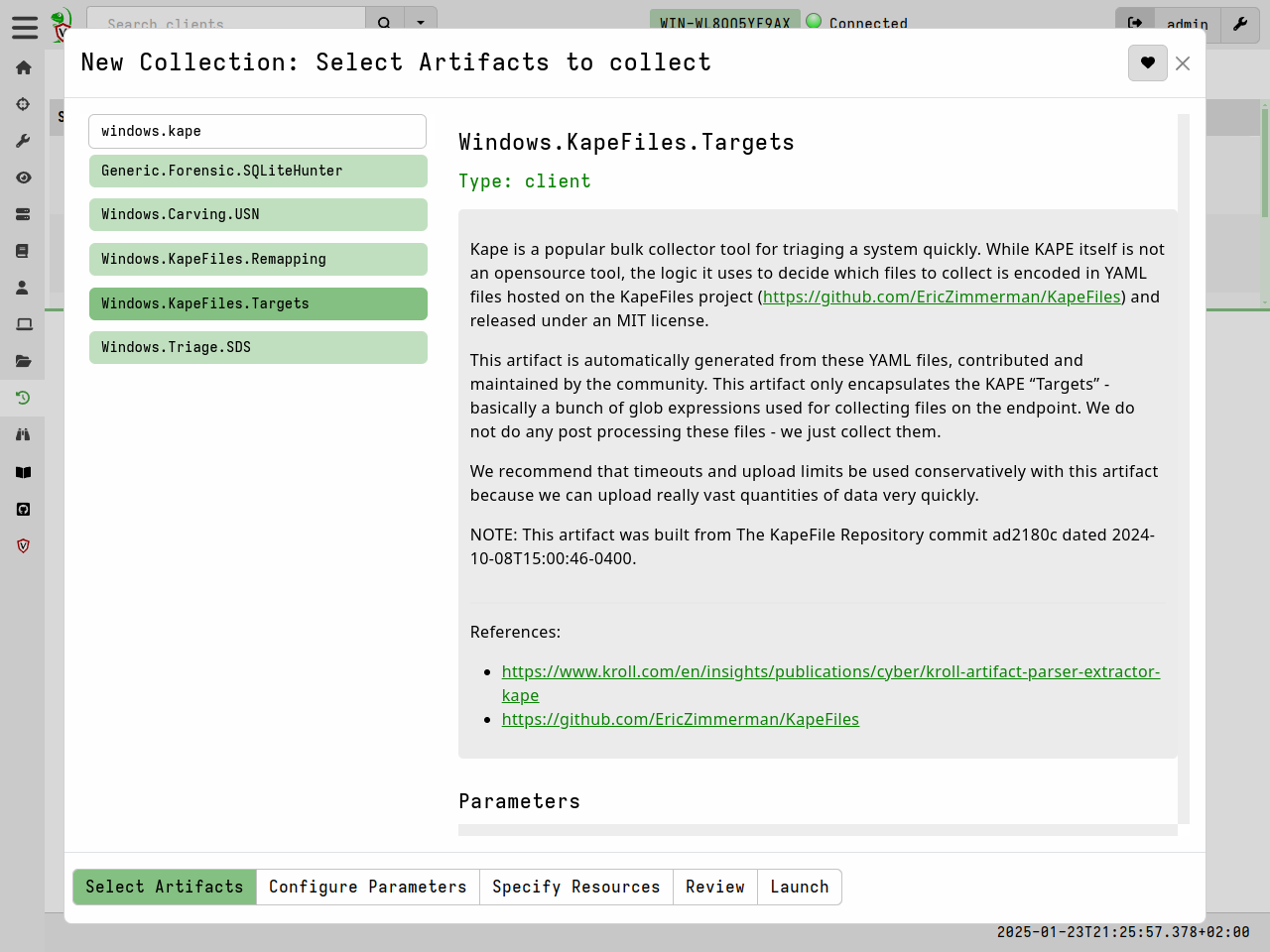
Using the Windows.KapeFiles.Targets artifact
In Velociraptor, the Windows.KapeFiles.Targets artifact is the most popular
artifact for bulk file collection. It does no analysis, but simply performs
bulk collection of files based on the targets specified.
-
Select the artifact from the New Collection wizard.
-
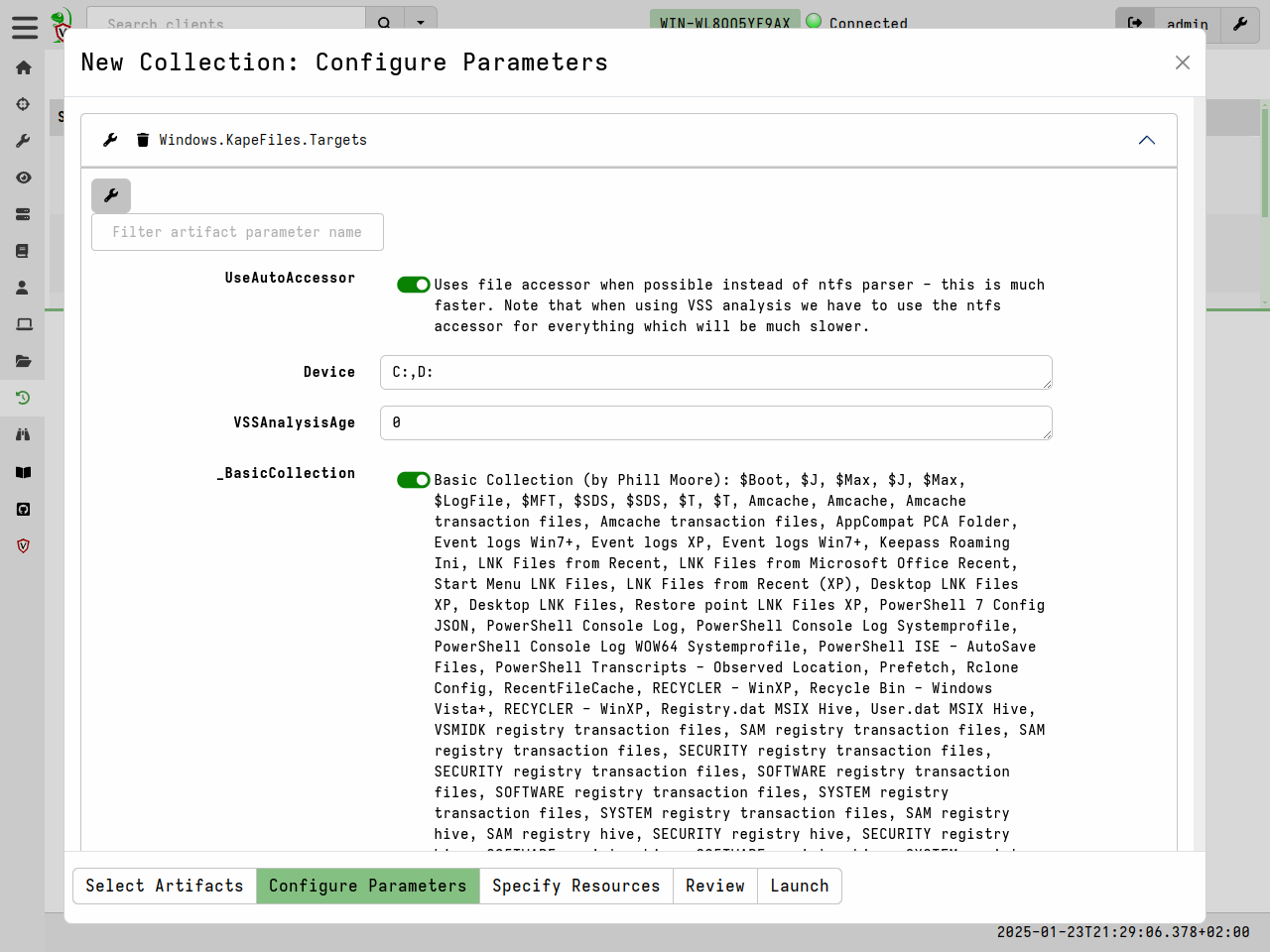
Select the desired targets in the Configure Parameters tab. Many targets are just groupings of other targets. For example the
_BasicCollectiontarget consists of a number of other commonly used targets. -
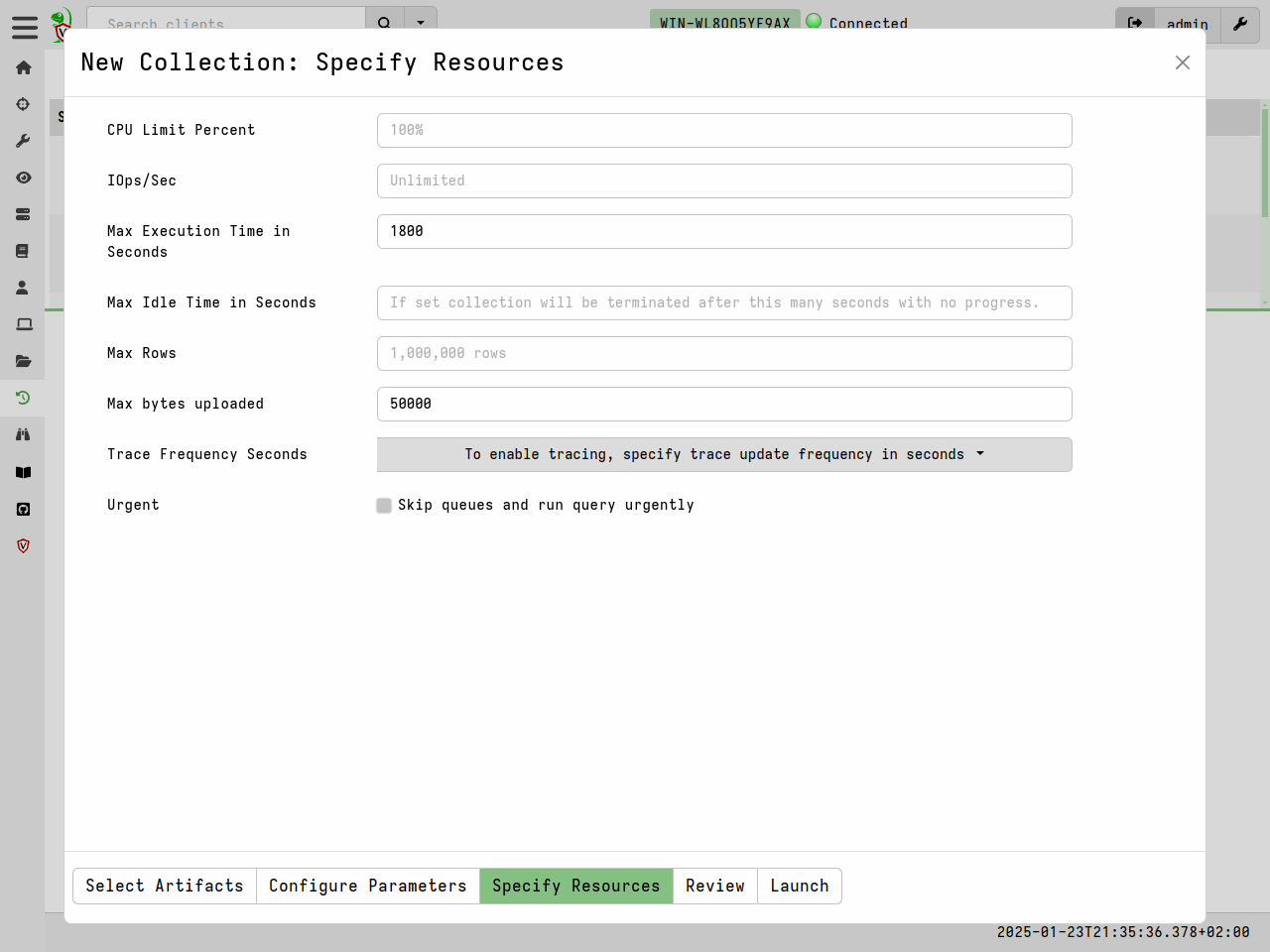
The
Windows.KapeFiles.Targetsartifact can transfer a large amount of data from the endpoints, and take a long time to run. We therefore often need to update the resource limits for the collection. -
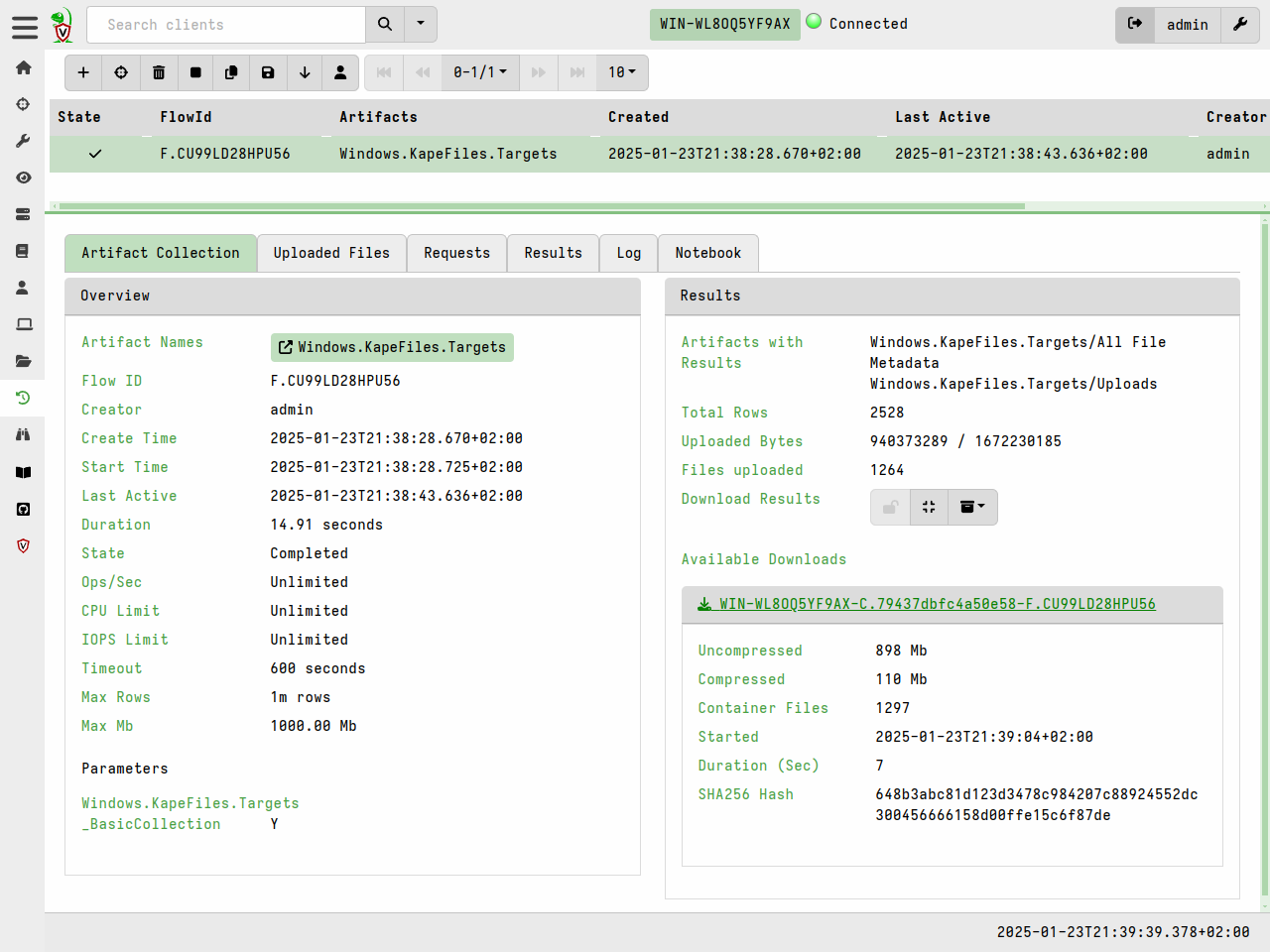
Once the collection is launched, we can monitor progress in the Artifact Collection tab.
Bulk file collection using Offline Collectors
Sometimes your are unable to deploy Velociraptor on a new network in the conventional client/server mode. Sometimes you might also have to rely on external assistance (such as a local administrator) to actually perform the collection on your behalf, and usually these assistants are not DFIR experts.
Velociraptor Offline Collectors allow you to perform bulk file collections (and run any other artifacts) without installing a Velociraptor client on the endpoint.
An offline collector is a custom preconfigured Velociraptor binary that will automatically collect any artifacts that you’ve specified. Offline Collectors are a solution that performs the required collection with no need for DFIR expertise and with minimal intervention - to the point where the on-site personnel do not even need to type any command line arguments.
The Windows.Triage.Targets artifact described above is popularly used with
Offline Collectors, but any combination of artifacts can be used and we strongly
recommend that you do not use Offline Collectors to only perform file
acquisition. Offline Collectors are capable of collecting any artifacts that you
would normally collect from an online client.